

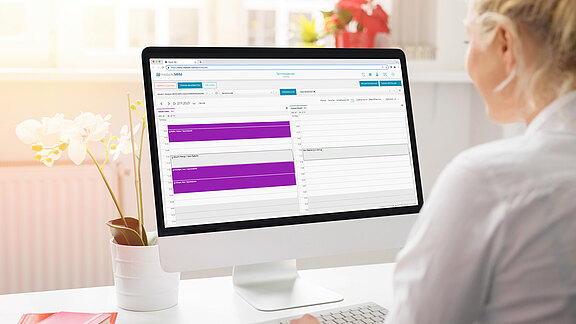
Most people are already familiar with digital calendars from their private or professional lives. It therefore stands to reason that these would also be sufficient for organizing a facility. However, this assessment often leads to disappointment: appointments overlap, rooms are double-booked, and coordination between different employees becomes a daily organizational challenge.
A specialized appointment and resource management system differs fundamentally from a conventional calendar. These differences are crucial for the efficient management of the facility, but are not always apparent at first glance. A clear distinction helps to make the right technology decision and develop realistic expectations for the respective solution.
The following comparison shows why a simple calendar quickly reaches its limits for complex processes and what advantages a well-designed resource management system offers.
Traditional calendars
A normal calendar (as you know it from your computer or smartphone) displays your personal appointments. It works like a digital organizer—you enter when you have plans and receive reminders.
Limitations when multiple people are involved:
- Everyone has their own separate calendar.
- Appointments are made via email or phone.
- Double bookings are possible.
- No overview of the team's available capacity.
Appointment and resource management system
A specialized system for healthcare facilities goes far beyond this. It not only manages appointments, but also:
Resources: All available capacities at your facility
- Treatment rooms
- Devices and equipment
- Staff (doctors, therapists, medical personnel)
Intelligent appointment scheduling:
- Automatic check: Which employee offers the desired service?
- Which rooms and equipment are needed?
- Are all resources available at the desired time?
Practical benefits:
- Double bookings are prevented
- Available appointments are found automatically
- Optimal utilization of all resources
- Patients can also book appointments online
Conclusion
While a calendar only displays appointments, a resource management system organizes your entire facility: it knows who can do what, when they are available, and what equipment is needed. This results in efficient processes without planning errors.
Example & Comparison
Appointment in a calendar
What you see: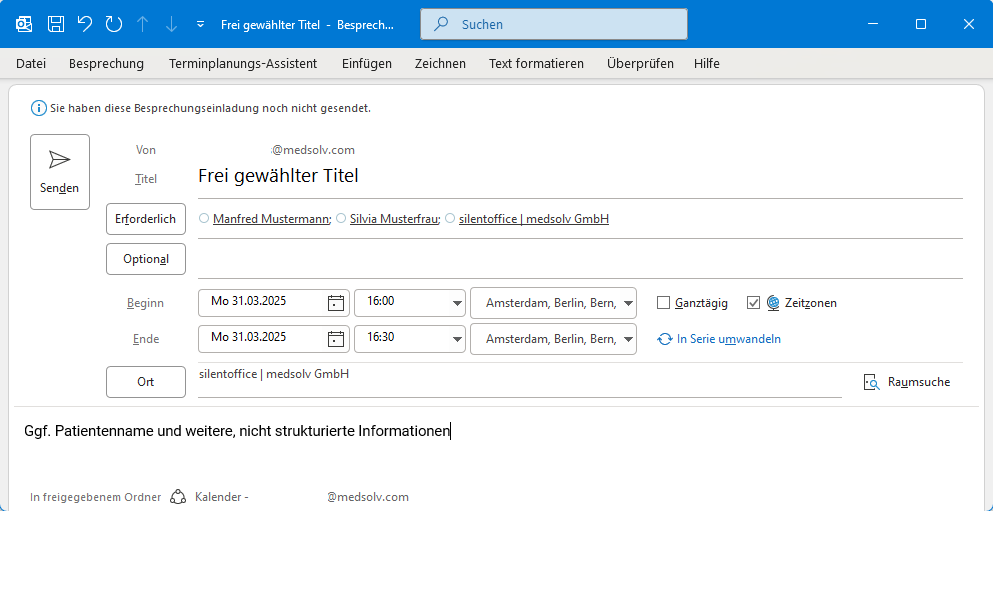
- The reason for the appointment – provided the title is well chosen
- The participants
- The room
- Patient name and any other unstructured information
Appointment in medsolv.MRM
What else you will see: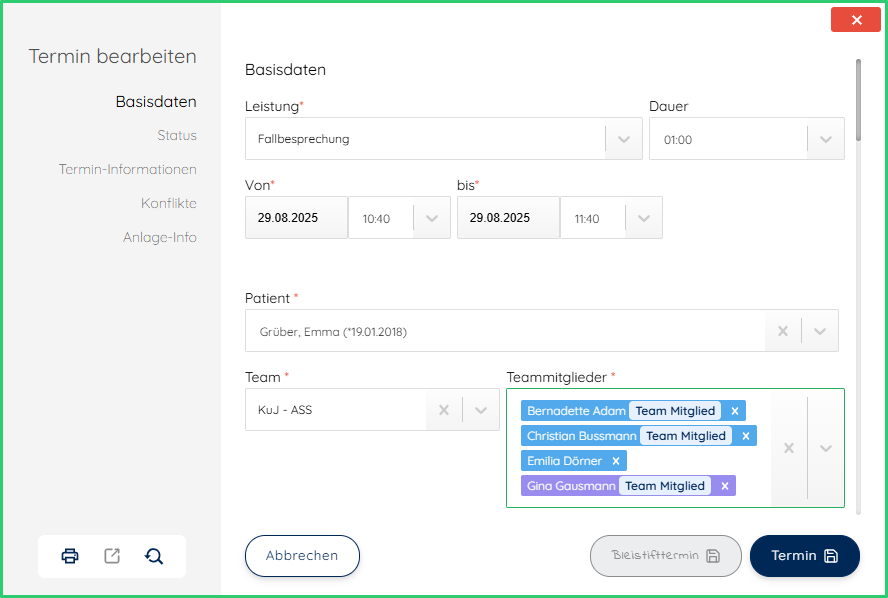
- The defined service, with billing codes if applicable, calls to external systems (e.g., for documentation), a planning status (planned, confirmed, canceled, etc.), additional free-text and structured information
- The participants
- The patient(s) with direct access to their data
- The room
- The appointment is free of conflicts (green frame)